
How to Receive Upwork Payments in Egypt

It's the end of a long project. A designer in Cairo sends off the final files, the client marks everything approved, and the Upwork balance updates with the amount that took weeks to earn. Like many Egyptian freelancers, that's the moment the real headache begins, not with the work itself, but with getting that money out of Upwork and home to Egypt without losing a chunk to fees or waiting days for it to clear.
That's exactly why we put this guide together. It walks through how to withdraw your Upwork earnings in Egypt and what each option costs, then shows how to get paid in under an hour with Raenest.
How Upwork processes payouts
Before you pick a withdrawal method, it helps to understand how the money reaches your Upwork balance in the first place. You earn in US dollars, whether that's an hourly contract tracked through Upwork or a fixed-price milestone that’s released once the client approves it.
Upwork then takes its service fee before anything becomes yours, so the amount you see ready to withdraw already has the fee deducted. It's worth checking the current fee on Upwork, since it has changed over the years.
There's also a short holding period before your funds are ready for withdrawal, usually a few days, depending on the contract type. Once that passes, the balance is yours to withdraw, and this is where your choice of method matters more than you'd think.
Ways Egyptian freelancers can receive Upwork payments.
There are a few routes out of Upwork, and the real difference between them comes down to cost and speed:
- Payoneer is the one most Egyptian freelancers reach for first, since it's built into Upwork and lets you withdraw funds to a local bank account. It does the job, but the fees are steep. You pay up to $2 to receive, plus additional fees, and Payoneer also charges an annual maintenance fee just to keep the account open, so the costs add up even in months you barely use it.
- A wire transfer in dollars can go to an Egyptian bank, but Upwork charges $50 for every wire, and the money still takes several business days to arrive. That's a lot to lose on a single payout.
- A direct transfer to a US bank (ACH) when you're outside the US now costs $2.99 on Upwork's side, and it's the route that makes a multi-currency account like Raenest so useful. You send your dollars to your Raenest USD account, and Raenest charges a flat $2 to receive them, regardless of the amount, even on payouts over $5,000.
Compared side by side, one option stands out. The Raenest ACH route costs $1, where a wire costs $50, and it reaches you in minutes rather than days.
🔗 New to all this? Our guide to freelancing in Egypt covers everything from registration to getting paid
Why Raenest is the fastest way to get paid on Upwork
If the part that frustrates you most is the waiting, this is where Raenest helps most. Connect your Upwork account to Raenest, and any withdrawal you send to your Raenest balance arrives in under 60 minutes, even on weekends, instead of the day or two you might be used to.
With Raenest FastTrack, you can receive up to $1,500 on weekdays and $500 at weekends in under an hour, and anything above that comes in as a normal Upwork payment, usually within 24-48hours. The speed itself costs nothing extra, and Raenest's flat $1 fee to receive your money holds even on the biggest payouts.
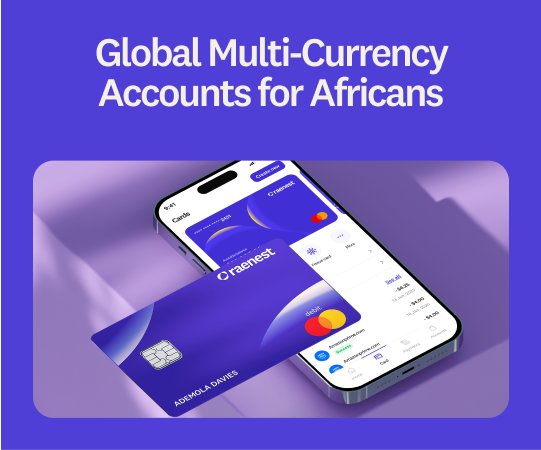
With a Raenest multi-currency account, freelancers in Egypt can:
- Send Upwork payouts to a Raenest account and receive them in US dollars.
- Get those payouts in under 60 minutes with Raenest FastTrack, at no extra cost.
- Receive payments in USD and convert to Egyptian pounds at any time.
- Send and receive money across more than 160 countries.
- Get USD virtual cards that work in global stores and support Tap to Pay.
🔗 Earning on Fiverr too? Here's how to receive Fiverr payments in Egypt.
How to connect your Upwork payments to Raenest in Egypt
You only need to set this up once.
Step 1: Create and verify your Raenest account.
Download the Raenest app or sign up on the Raenest website, choose a Personal account with Egypt as your country of residence, and complete identity verification with a clear photo of your Egyptian National ID or passport.
Step 2: Create your USD account.
On the Accounts tab, select Create USD Account. You'll need proof of freelance income before creating the account, so upload an Upwork earnings statement or a clear screenshot of your Upwork profile showing your earnings. Once it's approved, you'll get your dedicated US account details: an account number, a routing number, and the account type, which is Checking.
Step 3: Add your Raenest account to Upwork.
In Upwork, go to Payments, then Withdraw Earnings, and add a new withdrawal method. Select Direct to US Bank, then fill in your Raenest account number and routing number.
Step 4: Connect your Upwork account to Raenest for FastTrack.
In the Raenest app, go to Connected Apps, choose Upwork, and follow the prompts to link the two. Our full walkthrough on setting up Raenest FastTrack covers every step, including what to do if you normally sign in to Upwork with Google.
Now you're set. From now on, when you withdraw from Upwork, the money moves to your Raenest account, arriving in under an hour with FastTrack, and you take it from there, holding the dollars or converting to pounds whenever it suits you.
Before you go
It's worth remembering that Upwork income is still income for the Egyptian Tax Authority. If you're freelancing seriously, keep records of your earnings, set aside a portion for tax, and, if you invoice companies, look into registering and the e-invoicing rules that may apply.
Ready to receive your Upwork payments faster? Create your free Raenest account today and stop losing your Upwork earnings to fees.
Frequently asked questions
- How long do Upwork withdrawals take to reach Egypt?
It depends on the method. Payoneer and bank transfers can take a few business days once your funds have cleared, while a Raenest USD account with FastTrack brings your payout through in under 60 minutes.
- What's the cheapest way to withdraw Upwork earnings in Egypt?
Sending your money to a Raenest USD account by direct US bank transfer (ACH) is usually the cheapest. Upwork charges $2.99 that transfer, and Raenest charges a flat $2 to receive it, whatever the amount. Compare that with $50 for a single wire, and the difference over a year is significant.
- How much does it cost to get my Upwork money in Egypt?
It depends on the route. A wire transfer costs $50 each time on Upwork, Payoneer takes fees to receive and to withdraw, and an ACH transfer to Raenest cost $2.
- Can I get paid in USD by Upwork and keep it in USD?
Yes. A Raenest multi-currency account lets you receive and hold your Upwork earnings in US dollars, so you decide when, and whether, to convert to Egyptian pounds.