.jpg)

How to Pay for Canva, Adobe, and Other SaaS Tools as a Kenyan Creator

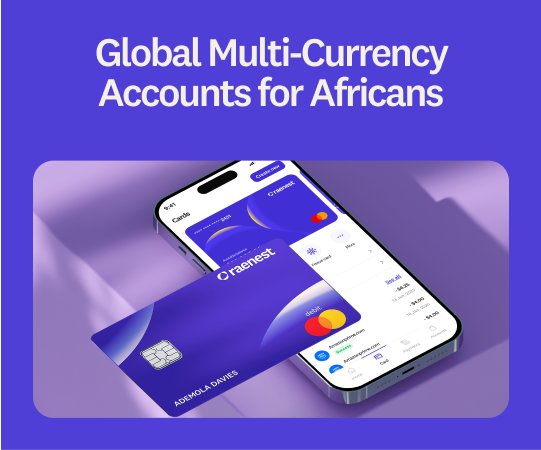
As a Kenyan creator, many of your workflows run on tools that bill in USD. Canva Pro for quick posts, Adobe for the heavy lifting, CapCut for edits, and a ChatGPT plan for captions. These are the things essential for work every single day, so a declined payment, when there's money sitting right there on your card, doesn't just cost you a subscription. It throws off your whole day.
What you need is a card that doesn't fail when a US platform tries to bill it. In this guide, we’ll discuss how Kenyan creators can pay for Canva, Adobe, and other tools in USD without encountering roadblocks.
Why cards get declined for USD payments
Making payments on global platforms from Kenya can be challenging, regardless of your financial standing.
- Some local cards aren't enabled for cross-border USD charges, so the payment is rejected before it even starts.
- Some platforms want a US card or address. Ad platforms and certain services require a USD card, and without one, you're either locked out or stuck with constant failures.
The best card for USD payments in Kenya
Raenest's USD card works in Kenya and is built for exactly this kind of spending. Raenest is a multi-currency account for people who earn and spend across borders, and its card is a Visa card that global platforms accept as their own, from Adobe's checkout to the App Store.
The card spends straight from your Raenest balances in an order you choose, so there are no funding or maintenance fees. Add it to Apple Pay or Google Pay to tap in person, too. It's also built to survive the things that trip up other cards. You can freeze it in seconds, approve each charge with a one-time password, and save two billing addresses, so when a platform insists on a US address, you pick the matching one and skip the decline.
The Raenest card is 3D Secure, has daily transaction limits of $7,000 to $20,000, and comes with purchase protection, making it a top choice for Kenyan creators.
🔗If you need help navigating payments, here's how Kenyans can receive USD, GBP, or EUR into their account.
The tools it covers
One card handles the whole creative stack. Here's where it comes in handy:
- Design: Canva Pro, Adobe Creative Cloud, Figma, and Affinity, for everything from quick thumbnails to full brand kits.
- Video and audio: CapCut Pro, Descript, and Epidemic Sound, for your edits and the music that goes under them.
- AI tools: ChatGPT, Midjourney, ElevenLabs, and Runway, for when you want to move faster.
- Writing and admin: Grammarly, Notion, and Google Workspace, to keep the business side tidy.
- Hosting and selling: a domain on Namecheap, a portfolio site, or a Gumroad store to sell your work.
And when you're investing in yourself rather than your tools, the card works there too. Many of the best online learning platforms bill in USD, so courses on Coursera, Udemy, or Skillshare go through without a hitch.
How to set up your Raenest card
Step 1: Create your Raenest account
Download the Raenest app from the App Store or Play Store and sign up.
Step 2: Verify your identity
Tap Verify Now on your dashboard and complete KYC with a valid government-issued ID, such as your passport, driving licence, or national ID.
Step 3: Open a USD account
In the Accounts section, create a USD, GBP, or EUR account. You'll choose the account purpose and provide proof of earnings.
Step 4: Create your card
On the dashboard, tap Cards, then Create Card. Name it, pick a colour, and continue.
Step 5: Set your balance order
Choose which of your Raenest balances the card should draw from first, since it spends straight from your balances.
Step 6: Add it to your wallet and pay
Add the card to Apple Pay or Google Pay, then enter your card details or tap to pay at checkout.
How to pay for Canva, Adobe, and other tools
Once your card is created, paying is the same few steps on almost every platform.
Start on the tool's billing page. On Canva, that's Account Settings, then Billing and plans. On Adobe, open your account, go to Plans, then Manage payment. Most other tools keep it under a Billing, Subscription, or Payment methods tab.
Add the Raenest card as your payment method and enter the card number, expiry date, and CVV. If you're subscribing for the first time, you'll usually pick your plan first, then land on the payment screen.
When the platform asks for a billing address, choose the saved address that matches what it expects. For a service that insists on a US card or US address, pick your US billing address.
For subscriptions, that's it going forward. The platform rebills you each cycle, drawing straight from your Raenest balance in the order you set, so there's nothing to re-enter. Keep enough in that balance ahead of your renewal date so a payment never fails.
Final thoughts
Your tools shouldn't be the thing that breaks your flow. With a Raenest USD card, Canva, Adobe, and everything else in your stack are seamlessly sorted. Raenest provides instant cross-border payouts and a global prepaid card for freelancers. Join millions of users on Raenest today. Create your free Raenest account today and get a free deposit.
Frequently asked questions
- Can I create a USD virtual card in Kenya?
Yes, with Raenest, you can create a USD virtual card that works across global stores from Kenya
- How much does a Raenest virtual card cost?
It's a one-off $3 to create, then $0.70 per successful transaction, with no funding or maintenance fees. Payments on non-US sites or in a currency other than USD also carry a 2% Visa cross-border fee.
- Can I add the card to Apple Pay or Google Pay?
Yes. Once it's created, follow our Apple Pay and Google Pay guides to add it, then tap to pay online and in person.
- Do I need to fund the card before paying?
No. It spends straight from your Raenest balances in the order you set, so as long as the balance it draws from has enough, your payment goes through.


