
How to Pay for Ads, Software, and Subscriptions in USD From Ghana

If you've ever tried to pay a global platform from Ghana, you've probably encountered the dreaded 'card declined' message. Maybe a subscription wouldn't renew, or a piece of software you needed for work refused your payment. It's a common problem, and it usually has nothing to do with your balance.
In this guide, we’ll explore why this happens, the best fix and how to pay for ads, software, and subscriptions from Ghana.
Why cards get declined for USD payments
Making payments on global platforms from Ghana can be challenging, regardless of your financial standing.
- Recurring payments fail even when the first one works. A subscription might go through once, then be declined the next month due to bank policies or fraud filters, which is why a card that worked before suddenly stops working.
- Conversion eats into your money. When a local card is processed, you're often charged a poor exchange rate and extra fees to convert cedis into dollars.
- Some platforms want a US card or address. Ad platforms and certain services require a dollar card; without one, you're either locked out or stuck with constant failures.
Get a USD virtual dollar card that works in Ghana
A USD virtual card solves this by giving you a dollar-denominated card that global platforms recognise as their own. It's created digitally, so there's no waiting for a physical card to arrive, and it's made for exactly the kind of international payments local cards in Ghana struggle with.
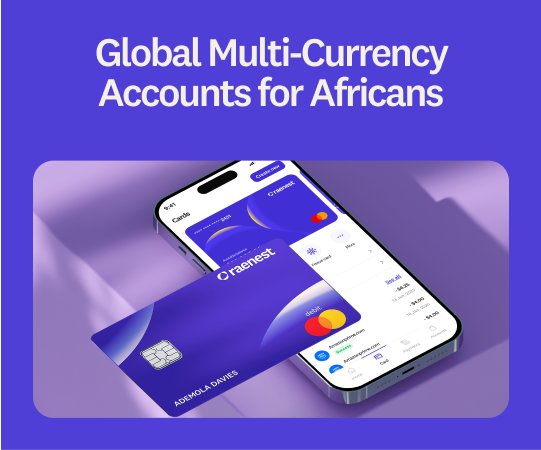
The Raenest USD virtual card is a Visa card, so it's accepted across the platforms you actually use, from ad managers to app stores. The card spends straight from your Raenest balances in an order you set, so the money you already have is ready to use.
It costs a one-off $3 to create, then $0.50 per transaction, with no funding fees. You can add it to Apple Pay or Google Pay to tap to pay in stores, too.
You can freeze it in seconds, approve charges with a one-time password, and save two billing addresses, so you can match the one a platform asks for and skip mismatches.
Still haven’t gotten one? Create yours now.
What you can pay for with a Raenest virtual card
- Ads: Boost posts and run campaigns on Facebook and Instagram, Google Ads, TikTok Ads, and X, without the failures that stall local cards in Ghana.
- Software and work tools: Keep Canva, Adobe, ChatGPT, Figma, Grammarly, and Notion running, and pay for hosting and domains on Namecheap, Hostinger, or AWS.
- Subscriptions and learning: Cover Netflix, Spotify, YouTube Premium, and Amazon Prime, and enrol in courses on Udemy, Coursera, and LinkedIn Learning.
Step-by-step guide to paying for USD subscriptions with Raenest
Here’s how to use Raenest to pay for ads and subscriptions in USD from Ghana:
- Download the Raenest app from the App Store and Play Store and create a new account.
- Tap "Verify Now" on your dashboard and complete your KYC (Know Your Customer) requirements. You will need a valid government-issued ID (such as an international passport, driver's license, or national ID/NIN).
- Once verified, go to the "Accounts" section to create a USD, GBP, or EUR account. You will be asked to select your account purpose (e.g., receiving client payments or salary) and provide proof of earnings.
- Navigate to the dashboard and click Cards. On the Cards page, tap Create Card.
- Customise your card by adding a name and selecting a colour. Click continue.
- Set your balance order. Your card spends straight from your Raenest balances, so choose which one you want it to draw from first.
- Add it to your phone's wallet. Follow our guides to link your Raenest card to Google Pay and link your Raenest card to Apple Pay, so you can pay online and tap to pay in person.
- Pay at checkout. Enter your card details, or select Apple Pay or Google Pay, and confirm.
Create your free Raenest account today and get a USD virtual card that works wherever you need it.
Frequently asked questions about USD payments from Ghana
Can I use the Raenest card for Facebook and Google Ads?
Yes. It's made for ad platforms, and using it alongside a funded balance and cleared previous invoices is the reliable way to keep campaigns running from Ghana.
How much does a Raenest virtual card cost?
It's a one-off $3 to create, then $0.50 per transaction, with no funding or maintenance fees.
Can I add my Raenest card to Apple Pay or Google Pay?
Yes. Once your card is created, follow our Apple Pay and Google Pay guides to add it, then tap to pay online and in stores.