.jpg)

Everything You Need to Know About Your New Raenest USD Account

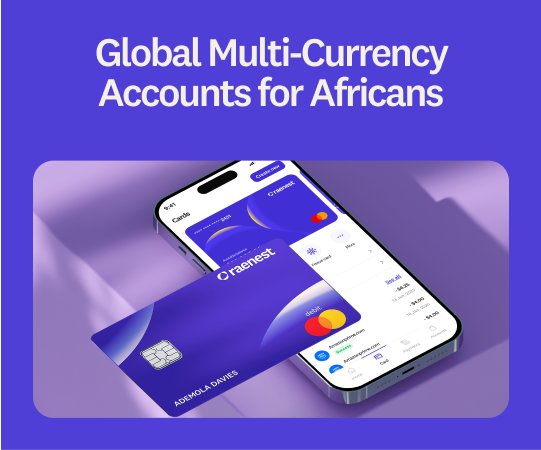
Over the past few weeks, we’ve been working on one of the most important improvements we've made to our USD payment experience. We introduced new USD accounts powered by a new banking partner, giving us a stronger foundation to build a faster, more reliable experience for receiving and managing USD payments.
This guide is your one-stop resource for the entire USD account migration: what changed, why it matters, and the few steps you need to take to keep receiving USD payments without interruption.
What changed
We moved USD banking to a new partner to give you a faster, more reliable way to receive money from the U.S. Your old Wells Fargo USD account has been retired as part of this migration, and your new USD account is now the one you'll use to receive all USD payments going forward.
Your balances, transaction history, and funds are safe and completely unaffected by this change.
Why we made this change
The new setup was built to improve the parts of receiving USD that matter most to you:
- Faster ACH deposits so U.S. payments land more quickly
- Improved domestic wire processing for more efficient handling of time-sensitive transfers
- FedNow support for real-time USD payments
- Upwork FastTrack for faster access to your Upwork earnings
- Stronger reliability and a foundation for new features we're rolling out soon
What you need to do
1. Create your new USD account (if you don't already have one). Some accounts were created automatically and may already be visible in your app. If yours isn't there yet, head to the Accounts page and tap Open Account.
You'll be asked to upload proof of earnings, such as a bank statement, your Raenest statement, or another valid proof of income. Once you submit, your new USD account is created instantly.
2. Update your payment details everywhere you receive USD.
Because your Wells Fargo account is retired, any platform or client still sending to the old details will not be processed. Update your new account details anywhere you currently get paid, including:
- Upwork
- Fiverr
- Payoneer
- Gusto
- Employer or payroll systems
- Clients and invoices
- Any other payment platforms
For a full walkthrough, see our step-by-step guide: How to Create Your New USD Account on Raenest.
What this Means for Raenest FastTrack
Raenest FastTrack withdrawals now work only with your new USD account. To keep enjoying faster Upwork withdrawals through Raenest, update your Upwork payment details to your new USD account.
Important update on SWIFT deposits
SWIFT deposits are not supported on the new USD account. Please don't send SWIFT transfers to either one. If you usually receive money via SWIFT, you can use one of these options on Raenest instead:
- ACH transfers
- Domestic wire transfers
- GBP bank accounts
- EUR bank accounts
- USDT and USDC
You can create GBP and EUR accounts, as well as USDT and USDC accounts, directly in your app. We're actively working on bringing on a banking partner to support SWIFT deposits again in the future, and we'll share more as soon as it's ready.
For Amazon KDP creators and publishers
If you receive Amazon royalties, we're working to make sure those payments run smoothly on the new infrastructure. We'll send a dedicated update to KDP creators and publishers with specifics ahead of the usual end-of-month royalty payments.
Enjoy Free Deposits
To help ease the transition, we’ve given you two free ACH deposits in June.
Still haven't created your new USD account? Log in to your Raenest app now. Once it's live, update your payment details everywhere you receive USD so your money keeps arriving without a hitch.
Frequently asked questions
- Is my money safe during the migration?
Yes. Your balances, transaction history, and funds remain safe and fully accessible throughout the transition.
- Do I have to create a new account, or is it automatic?
Some accounts were created automatically and may already appear in your app. If you don't see one, you can create it from the Accounts page in a couple of minutes.
- What proof of earnings can I upload?
A bank statement, your Raenest statement, or another valid proof of income or earnings.
- Can I still use my old Wells Fargo USD account?
No. It's been retired as part of the migration and no longer receives new payments. Move to your new USD account to avoid disruptions.
- Why isn't my SWIFT transfer going through?
SWIFT deposits aren't supported on the new USD account right now. Use ACH, domestic wire, or another receiving option in your app, and watch for our update on the return of SWIFT support.
- How fast are ACH deposits now?
The new infrastructure is built for faster ACH processing, so you should see improved deposit times compared with the old setup.
- Will this affect my Upwork withdrawals?
Only in a good way, once you update your details. FastTrack now runs through the new USD account, so update Upwork to keep your withdrawals fast.
.jpg)
.jpg)
.jpg)