.jpg)
.webp)
The Best Way for Kenyan Freelancers to Withdraw from Upwork

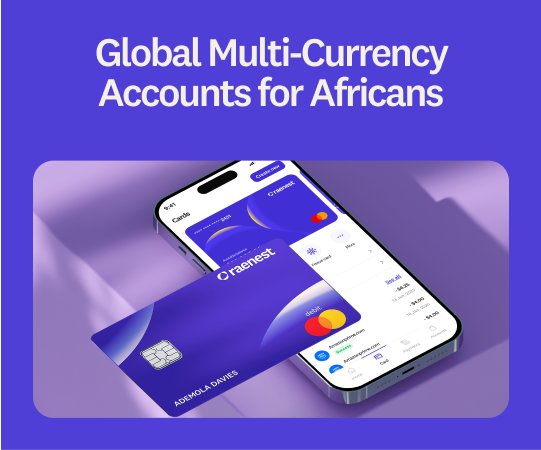
Freelancing on Upwork opens doors to clients all over the world, and Kenyan freelancers are walking through them in growing numbers. The tricky part usually isn't the work, it's getting paid without watching a slice of your earnings vanish into fees on the way home. If you'd rather keep that slice, this guide walks you through the cheapest, fastest way to withdraw from Upwork in Kenya, using a Raenest USD account.
How Upwork pays you
Before you choose how to withdraw, it helps to know how the money gets to your Upwork balance. You earn in USD, whether by the hour or as a fixed-price milestone the client approves, and Upwork takes its service fee before a cent reaches your account, so the figure you see is already after that cut. Those fees have shifted over the years, so it's worth a quick look at Upwork's current rate rather than trusting the number in your head. There's also a short holding period, usually a few days depending on the contract, before the balance is yours to move. Once it clears, the only question left is how to get it to Kenya, and that choice matters more than most people expect.
The ways to withdraw from Upwork in Kenya
Upwork gives you a handful of options, and they are not created equal.
- Payoneer is the default many reach for, mostly because it's sitting right there inside Upwork. It works, but it charges you coming and going: a fee to receive, another to convert, plus an annual fee just to keep the account open, even in a quiet month with no work.
- Direct to Local Bank drops your earnings into your Kenyan account in shillings. Convenient, yes, but slow, often more than four business days, and the shilling rate is whatever gets decided for you that day.
- A wire transfer in USD reaches a Kenyan bank, but Upwork charges $50 a wire and it still crawls in over several days. That's a steep toll on a single payout.
- Direct to U.S. Bank (ACH) is free on Upwork's side, and it's the one that makes a USD account like Raenest worth having. Your earnings go to your Raenest USD account, and Raenest charges a flat $1 to receive them, whatever the amount, even on a payout north of $5,000.
Put them side by side and it isn't close: $1 with Raenest against $50 for a wire, and minutes instead of days.
Why FastTrack changes the game
Once you connect your Upwork account to Raenest, a withdrawal no longer drags on for a day or two, it reaches you in under an hour, weekends included. Picture Upwork releasing project funds on a Saturday afternoon and having the money before you've made lunch.
That's Raenest FastTrack. It brings up to $1,500 on weekdays and $500 at weekends to you in under an hour, and anything above those limits comes through as a normal Upwork payment, usually within 24 to 48 hours. The speed costs nothing extra, there's only the flat $1 ACH fee you'd pay anyway.
With a Raenest multi-currency account, Kenyan freelancers can:
- Send Upwork payouts to a Raenest account and receive them in USD.
- Get those payouts in under 60 minutes with FastTrack, at no extra cost.
- Pay a flat $1 to receive money by ACH, whatever the amount.
- Receive USD, GBP, or EUR and convert to shillings at their own pace.
- Withdraw to a Kenyan bank at competitive rates, with the fees shown clearly.
- Send and receive money across more than 160 countries.
- Spend with a USD virtual card that works in global stores and supports Tap to Pay
ICYMI: We've written a blog on how professionals in Kenya can use Raenest
How to connect your Upwork account to Raenest in Kenya
You only set this up once and you're good to go.
Step 1: Create your Raenest account
Download the Raenest app or sign up on the website, choose a Personal account with Kenya as your country of residence, and verify your identity with a clear photo of your ID or passport.
Step 2: Open your USD account
On the Accounts tab, tap Create USD Account. You'll need proof of freelance income first, so have an Upwork earnings statement or a clear screenshot of your Upwork profile ready. Once it's approved, you'll get your US account details: an account number, a routing number, and the account type, which is Checking.
Step 3: Add your Raenest account to Upwork
In Upwork, go to Payments, then Withdraw Earnings, and add a new withdrawal method. Choose Direct to U.S. Bank and enter your Raenest account and routing numbers.
Step 4: Connect Upwork to Raenest for FastTrack
In the Raenest app, Click on your profile icon, open Connected Apps, choose Upwork, and follow the prompts to link them. If you normally sign in to Upwork with Google, our full FastTrack walkthrough covers that too.
That's the setup done. From here on, every Upwork withdrawal heads to your Raenest account and turns up in under an hour with FastTrack.
🔗 Want to see everything a Raenest account can do beyond Upwork? Here's how professionals in Kenya can use Raenest.
Final thoughts
Getting paid shouldn't be the hardest part of freelancing. With a Raenest USD account, your Upwork earnings reach you in USD, in under an hour, and stay in your control until you decide to convert to shillings. Sort it once, and payday stops being a waiting game.
Open your free Raenest account today and get one free ACH deposit to start.
Frequently asked questions
How long do Upwork withdrawals take to reach Kenya?
It depends on the method. Payoneer and bank transfers can take a few business days once your funds clear, while a Raenest USD account with FastTrack brings your payout in under an hour.
What's the cheapest way to withdraw Upwork earnings in Kenya?
Sending your earnings to a Raenest USD account by Direct to U.S. Bank (ACH) is usually the cheapest, at a flat $1 whatever the amount.
Why does Raenest ask for proof of earnings?
To meet financial regulations, Raenest needs to see that you earn freelance income before it opens a US account for you. An Upwork earnings statement or a clear screenshot of your earnings does the job.
Can Upwork pay me in USD and let me keep it in USD?
Yes. A Raenest multi-currency account lets you receive and keep your Upwork earnings in USD, so you decide when, and whether, to convert to shillings.