

How to Send Naira (NGN) from the UK to Nigeria

If you've ever sent money from the UK to Nigeria, you probably know that the process isn't always as straightforward as it sounds. You might have to move money between different bank accounts and apps, compare exchange rates across providers, figure out which option charges less, and still worry about how much your recipient will eventually receive. Sometimes, even after going through all these steps, your transfer takes longer than expected.
If you regularly send money home to support family, pay bills or cover expenses in Nigeria, having to jump through these hoops every time can get frustrating.
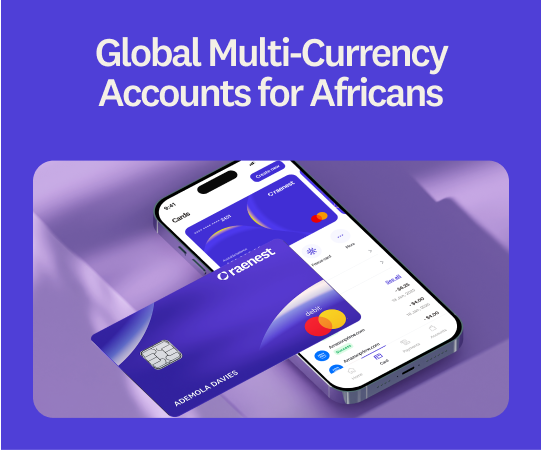
Fortunately. Raenest was built to solve these challenges. With Raenest, you can create accounts in GBP, EUR, USD and NGN, allowing you to receive, hold, send and manage money in different currencies from one platform.
Conversions happen automatically on the platform, so you don't need to switch between multiple platforms to manage your international finances. Everything you need is in one place. Here's how to send naira from the UK to Nigeria using Raenest.
How to Send Naira (NGN) from the UK to Nigeria Using Raenest
Step 1: Download the Raenest App
Start by downloading the Raenest app from the Google Play Store or Apple App Store.
Open the app and select the option to create a personal account.
Step 2: Create and Verify Your Account
Enter your email address, create a password and follow the registration prompts.
You'll need to provide your personal information and complete identity verification. Once your account is verified, you can access your Raenest dashboard and set up your available currency accounts.
Step 3: Fund Your Raenest Account
You can send money to a Nigerian bank account from any of your Raenest currency wallets. If your preferred wallet doesn't have enough funds, you'll need to fund it first.
Choose the wallet you want to fund:
- GBP Wallet: Fund with pounds, and Raenest automatically converts your GBP to NGN when you initiate the transfer.
- USD Wallet: Fund with dollars, and Raenest automatically converts your USD to NGN when you initiate the transfer.
- EUR Wallet: Fund with euros, and Raenest automatically converts your EUR to NGN when you initiate the transfer.
- NGN Wallet: Fund with naira and send directly to a Nigerian bank account without currency conversion.
You don't need to convert your money manually or move it between wallets. Raenest handles the conversion automatically when required, based on the wallet you're sending from.
Step 4: Select Send Money
Once your preferred wallet is funded, return to your Raenest dashboard and select Send.
Choose Add a New Receiver if this is your first time sending money to the recipient. If you've sent money to them before, you can select their details from your saved recipients.
Step 5: Enter the Recipient's Nigerian Bank Details
Select Bank account as your transfer method and select NGN as your currency
You'll need to provide the recipient's:
- Bank name
- Account number
- Account name
Double-check the details to ensure the money goes to the correct account. Also save recipient's details for future transactions.
Step 6: Enter the Amount You Want to Send
Enter the amount you want to send in NGN.
Whether you're sending from your GBP, USD, EUR or NGN wallet, Raenest handles the conversion automatically where necessary. If you're sending from a foreign currency wallet, your balance will be converted to naira as part of the transaction.
Before proceeding, you'll see the applicable exchange rate, charges and the exact amount your recipient will receive in their Nigerian bank account.
Step 7: Review and Confirm Your Transfer
Before completing your transaction, review the details carefully, including:
- The recipient's name and bank account details
- The amount you're sending
- The applicable exchange rate, where conversion is required
- Any applicable charges
- The final amount your recipient will receive in NGN
Once you've confirmed that everything is correct, select Continue and authorise the transaction using your password or biometric verification.
Raenest will process your transfer, and you can monitor its status from your account.
That's it! Your money is on its way to the recipient's Nigerian bank account.
What Do You Need to Send Naira from the UK to Nigeria Using Raenest?
Before initiating your transfer, make sure you have the following:
- A verified Raenest account: Download the app, register and complete the required identity verification.
- A funded currency wallet: You can send from your GBP, USD, EUR or NGN wallet. If your preferred wallet doesn't have enough funds, you'll need to top it up first.
- The recipient's Nigerian bank details: Have their full name, bank name and account number ready.
- Your account security details: You'll need your password or supported biometric authentication to authorise your transaction.
Having these details ready makes it easier to complete your transfer without unnecessary interruptions.
How Much Does It Cost to Send Naira from the UK to Nigeria Using Raenest?
The cost of your transfer depends on the amount you're sending and whether currency conversion is required.
When sending money from your NGN wallet to a Nigerian bank account, Raenest charges no transfer fee. However, transfers above ₦10,000 attract a ₦50 stamp duty, which is a government charge. Transfers of ₦10,000 or below do not attract stamp duty.
With other curriencies, the amount is automatically converted before the transfer is completed. You can review the applicable exchange rate, conversion charges and final payout amount before confirming your transaction. This way, you know how much naira your recipient will receive before the money leaves your account.
How Long Does It Take to Send Naira from the UK to Nigeria Using Raenest?
Once your wallet is funded, you can initiate your transfer directly from the Raenest app.
After you authorise the transaction, Raenest processes the payment for delivery to the recipient's Nigerian bank account. The actual processing time may depend on the transaction and applicable payment processing checks.
You can monitor your transaction status from your Raenest account to keep track of your transfer.
Frequently Asked Questions
Can I send naira from the UK to Nigeria using Raenest?
Yes. You can use Raenest to send money directly to Nigerian bank accounts. Simply fund your preferred currency wallet, add the recipient's bank details, select NGN as the receiving currency and confirm your transfer.
Do I need to convert my money to naira before sending it?
No. You don't need to convert your money manually. If you're sending from a foreign currency wallet, Raenest automatically handles the conversion to NGN when you initiate the transfer. You'll see the applicable exchange rate and charges before confirming.
Can I send money from my Raenest GBP wallet to a Nigerian bank account?
Yes. You can send money directly from your GBP wallet to a Nigerian bank account. Raenest automatically converts your pounds to naira during the transfer, and you'll see the applicable exchange rate and final payout amount before confirming.
Can I send money from my Raenest USD or EUR wallet to Nigeria?
Yes. You can send money from your USD or EUR wallet to a Nigerian bank account. Raenest automatically converts your balance to NGN during the transaction.
Can I send money from my Raenest NGN wallet to a Nigerian bank account?
Yes. If you already have naira in your Raenest wallet, you can send it directly to a Nigerian bank account without currency conversion.
Can I hold pounds, dollars and euros in my Raenest account without converting them?
Yes. You can receive and hold funds in your GBP, USD and EUR wallets without converting them immediately. You can keep your balances in their respective currencies and convert them when you need to send money or make payments in another supported currency.
Can I send money to someone who doesn't have a Raenest account?
Yes. You can send money directly to someone's Nigerian bank account using their bank details. The recipient doesn't need a Raenest account to receive a local bank transfer.
Can I use Raenest to send money in other currencies?
Raenest supports multiple currency wallets, including GBP, USD, EUR and NGN. You can receive, hold and manage your money across these currencies from one platform, subject to account eligibility and supported transactions.
Send Naira from the UK to Nigeria with Raenest
Whether you're supporting family, paying bills or covering expenses while on holiday in Nigeria, sending and spending in Naira as someone from the UK is seamless with Raenest.
Create your Raenest account today and make your next transfer from the UK to Nigeria with Raenest.

