
How to link your Geegpay USD account with your Upwork Account?


To link your USD account with Upwork, you will need to follow these steps:
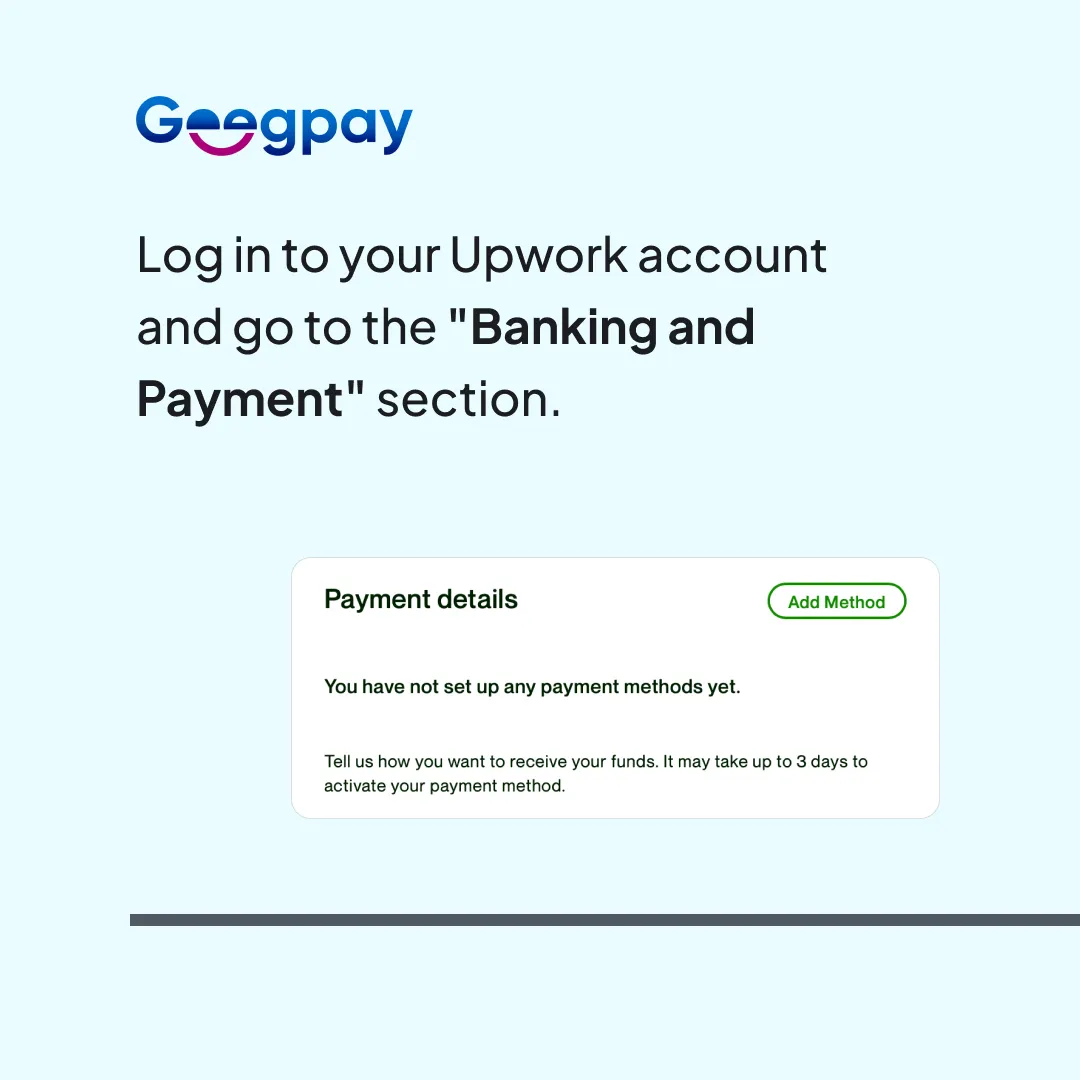
- Log in to your Upwork account and go to the "Banking and Payment" section.
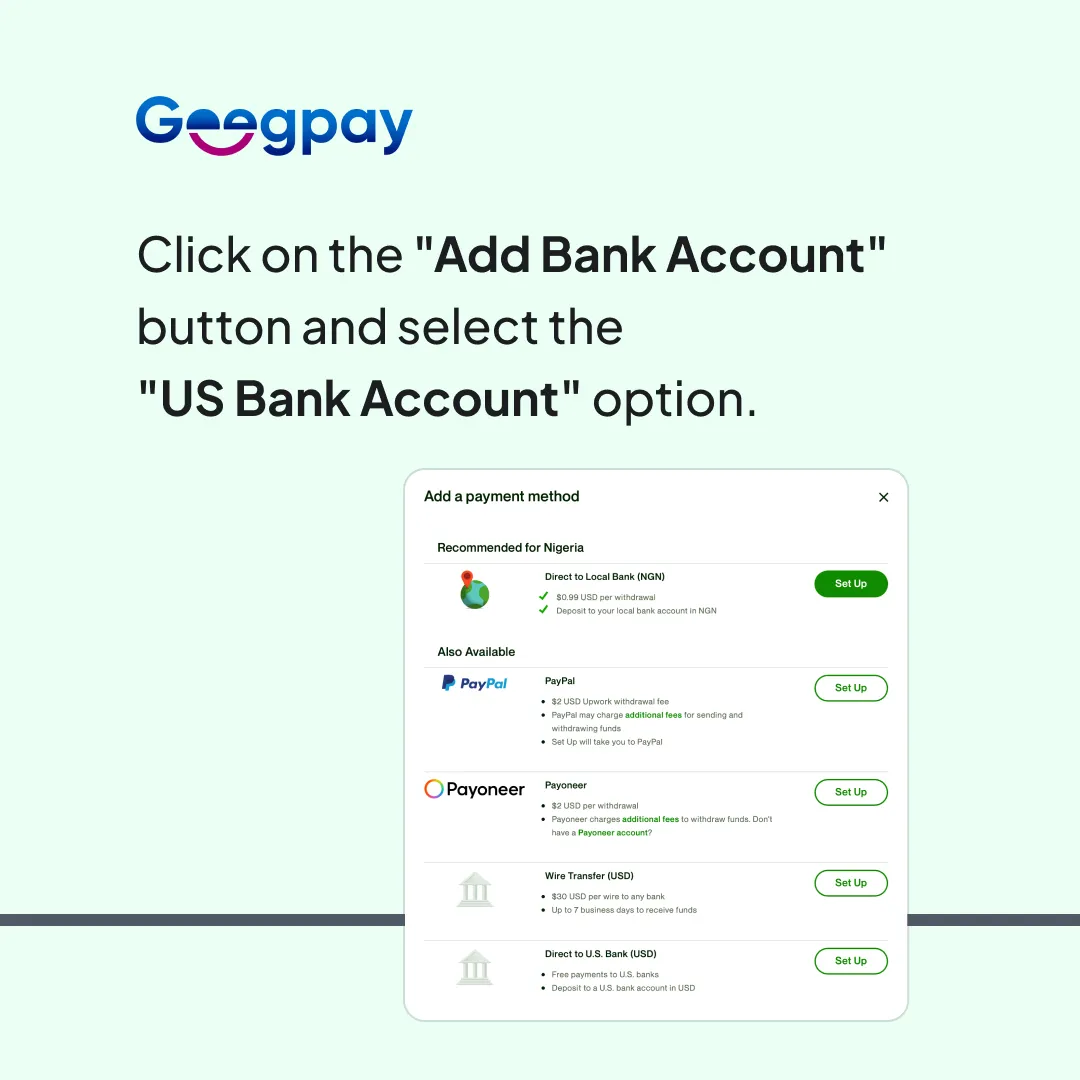
- Click on the "Add Bank Account" button and select the "US Bank Account" option.
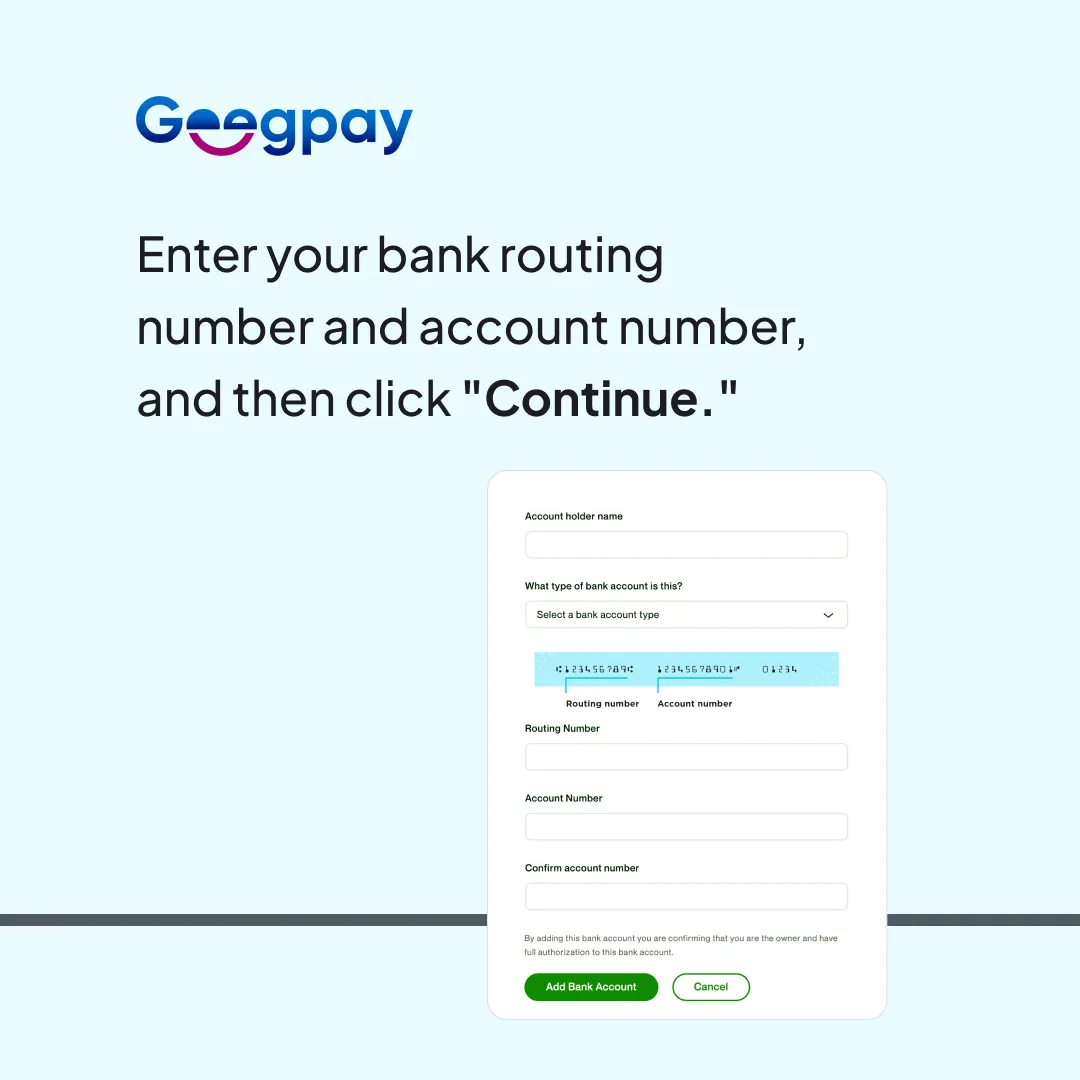
- Enter your bank routing number and account number, and then click "Continue."
- Upwork will verify your account information and, if successful, will add your USD bank account to your Upwork account.
También podría interesarte esto


Recibe las últimas novedades directamente en tu correo
¡Gracias! ¡Hemos recibido tu envío!
¡Vaya! Algo salió mal al enviar el formulario.