

How to Create an Upwork Profile That Gets Noticed


Getting started on Upwork takes a few minutes. Creating an Upwork profile that attracts clients takes more thought.
Your Upwork profile is where potential clients decide what you do, whether your skills match their project, and whether your experience gives them enough confidence to reach out. So, when you create your profile, the goal is not to list everything you have ever done. It's to make the kind of work you want to be hired for immediately clear.
A strong Upwork profile brings those details together across your profile title, overview, skills, work history, portfolio, education, certifications, and other relevant experience. Upwork also uses information from your profile to help match you with relevant opportunities, which makes it important to use clear, specific language that reflects the services you offer. Ready to create to create your Upwork profile? Here's how to build one that actually gets you clients.
What should an Upwork profile include?
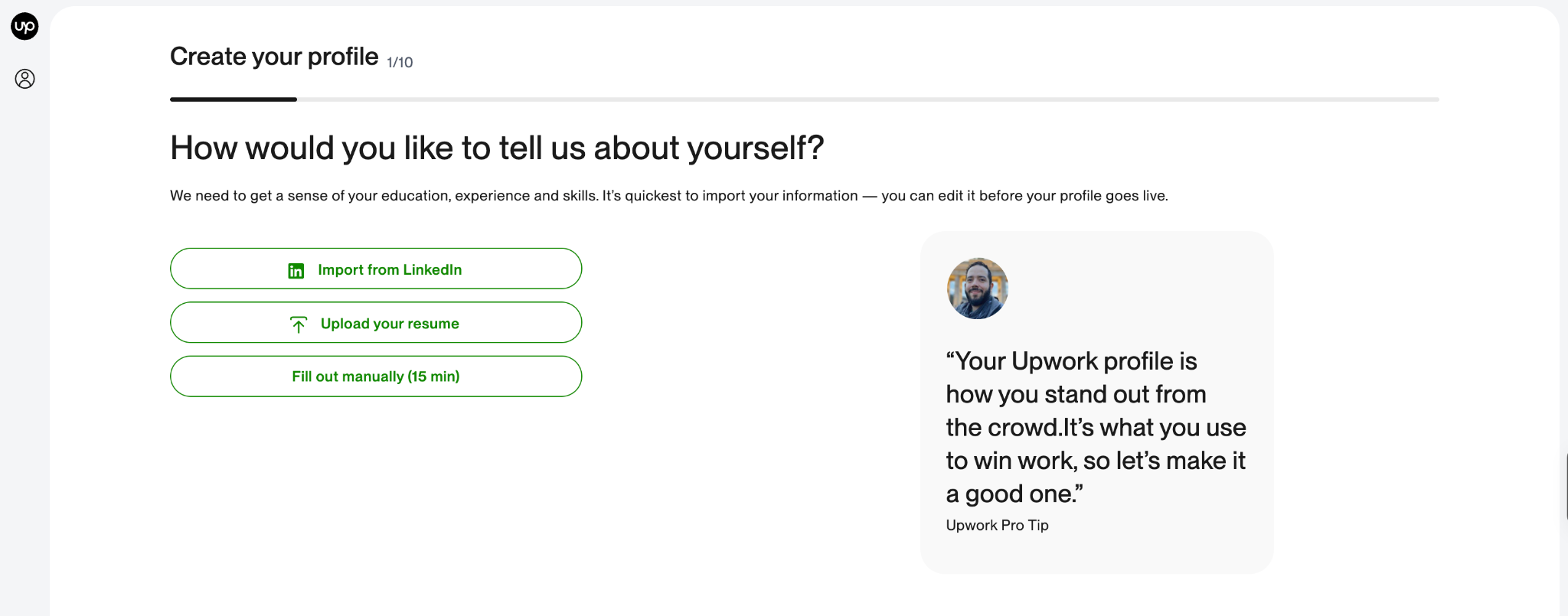
Before writing anything, it helps to know what you're working with. Your Upwork freelancer profile can include:
- A professional profile photo
- A profile title
- A profile overview
- Your skills
- Employment history
- Education
- Certifications
- Portfolio projects
- Other relevant experience
- Languages
- Your experience level
- Your hourly rate
- A profile introduction video
- Linked professional accounts
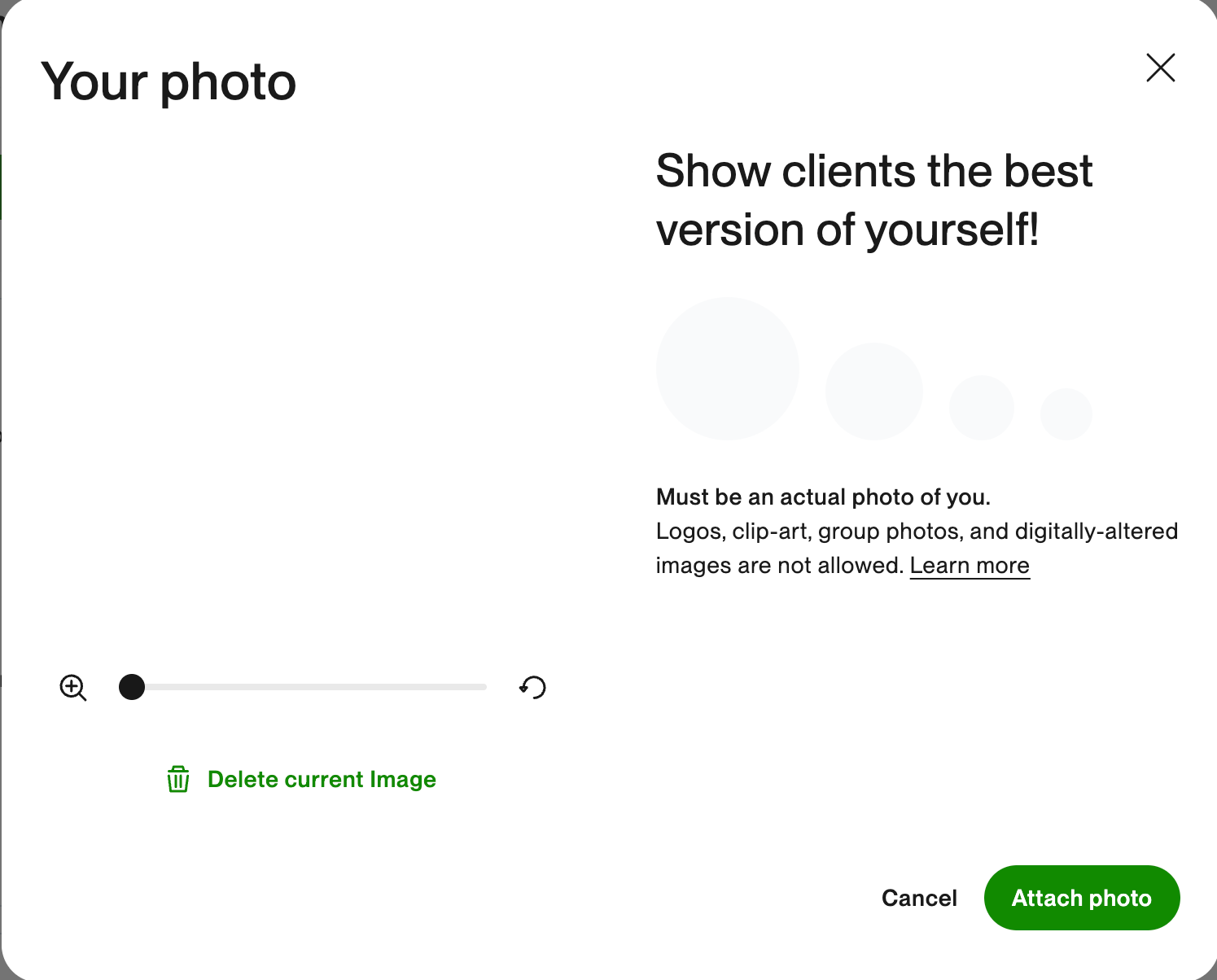
Some sections are required to reach a complete profile, while others help you add more evidence of your skills. Upwork currently requires a profile photo, overview, at least one employment history entry, and at least one skill. You need a 100% complete profile to be eligible for certain talent badges, including Rising Talent and Top Rated.
But completing every field isn't the same thing as creating a good profile. The real work is making all these sections tell the same story. Here’s how to do that:
- Choose the service you want to be hired for
Before you write your profile title or overview, get specific about what you actually want clients to hire you to do. "Freelancer" isn't a service. Neither is "Digital Professional." A client searching Upwork might be looking for:
- A social media manager
- A content writer
- A graphic designer
- A video editor
- A virtual assistant
- A web developer
- A copywriter
- An SEO specialist
- An email marketer
- A customer support specialist
Your profile should make your service obvious. If you can do several things, that doesn't mean you need to squeeze every skill you have into your headline. Upwork recommends focusing your title on your primary talents rather than trying to include everything.
Think about the kind of job you want to see in your search results. Then build your profile around that work.
- Write a specific Upwork profile title
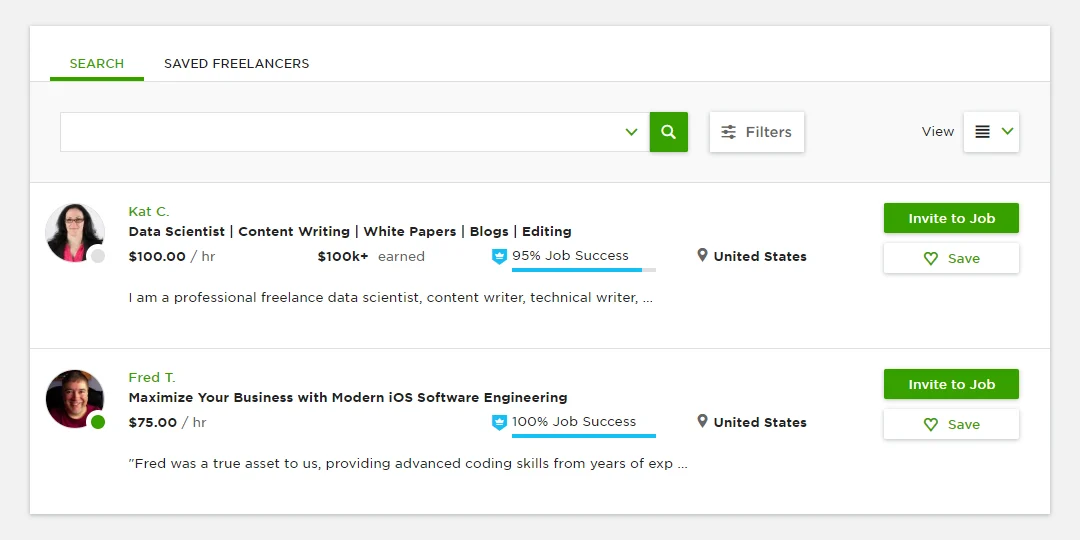
Your title is one of the first things a client sees, so it should tell them what you do without making them work for the answer. Compare “Digital Marketer” with “SEO Content Writer | Blog & Website Content.” The second is more specific about the service being offered, which makes it easier for the right client to understand what they can hire you for.
A good Upwork profile title should be specific, searchable, easy to understand, focused on your main service, and short enough to scan quickly. Upwork currently allows up to 70 characters for a profile title and recommends using specific, searchable language rather than a generic description.
That makes your choice of keywords important. Think about the words a client would actually type when looking for someone who offers your service. A freelance writer might use “Content Writer | SEO Blog & Website Content,” while a designer could use “Graphic Designer | Brand Identity & Social Media.” A developer might choose “Full-Stack Developer | React, Node.js & APIs.”
Notice what these titles have in common: they describe a service rather than a personality. “Hardworking freelancer” tells a client very little about what you can do, whereas “Shopify Developer | Ecommerce Websites” immediately tells them what service you offer.
Since your title has limited space, put the most important information first. Upwork’s current guidance recommends getting the key details into the first 35 characters because titles can be truncated on smaller screens. In other words, lead with the service you most want to be hired for, then use the remaining space to add relevant specialities or keywords.
- Use your profile overview to answer the client's question
Your profile overview is your opportunity to introduce yourself to potential clients and give them a clear sense of what you can help them with. Think of it as the first conversation between you and someone who may want to hire you.
A good place to start is with the work you do and the kind of problem you help clients solve. For example, instead of opening with a general introduction, you could say:
“Need SEO content that brings qualified readers to your website? I write research-driven blog posts and website content designed to rank in search and turn readers into customers.”
This immediately gives the client useful context. They can see what you specialise in, who you work with, and what they can hire you to do.
Your overview can include: your speciality, the clients you work with, your services, the problems you solve, relevant experience or results, and the types of projects you handle. You can then end with a simple invitation to discuss their project.
You don't need to include your entire professional history. Focus on the experience and skills that are most relevant to the kind of work you want to find on Upwork.
It is also worth paying attention to the opening of your overview. Upwork notes that only the first roughly 250 characters appear in freelancer search results, so use those first few lines to clearly communicate what you do. A simple structure you can use is:
What you do → Who you help → What you can do → Proof → Next step
For example:
I write SEO blog posts, product-led content, website copy, and thought leadership for technology companies. My work combines research, search strategy, and clear storytelling to help businesses explain what they do and reach the people looking for it.
“I help SaaS companies turn complex products into clear, useful content that attracts and converts the right audience.
I've worked on [relevant experience or result].
If you need a writer who can take a topic from research to publication-ready copy, I'd be happy to discuss your project.”
You can adapt this structure to your own profession, experience, and the clients you want to work with. The goal is simply to make it easy for a potential client to understand what you do, how you can help, and what makes your experience relevant to their project.
- Add the right Upwork skills
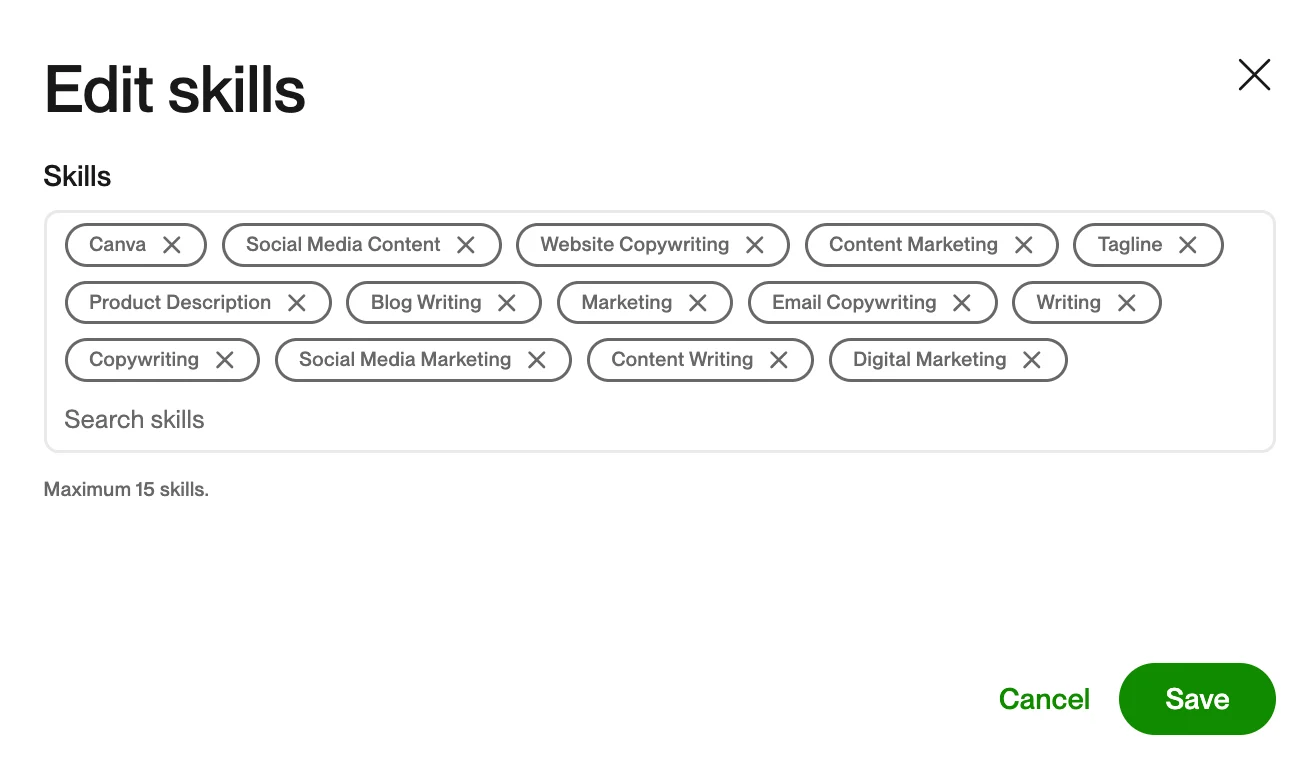
Your skills section is more important than it looks. Upwork says skills can help clients determine whether you're a fit and can improve your visibility in search. Its current platform guidance says freelancers can add up to 20 skills and arrange their order. If you're a content writer, your skills might include:
- Content Writing
- Blog Writing
- SEO Writing
- Copywriting
- Content Strategy
- Article Writing
- Website Content
- Technical Writing
If you're a graphic designer, your list might look completely different. The important thing is consistency.
If your title says you're an SEO content writer, your overview talks about SEO content, your employment history shows content work, and your portfolio contains SEO articles, your profile gives both clients and Upwork a much clearer picture of what you do.
Upwork also recommends using the platform's standardised skill names and considering synonyms if you can't find the exact term you're looking for.
- Make your employment history work for you
Upwork allows freelancers to add previous jobs, freelance work, internships, student jobs, volunteer experience, and other relevant experience to their employment history. This means you can draw from the work you’ve already done and show how it connects to the services you offer on Upwork.
The key is to highlight the parts of your experience that are most relevant to the type of work you want to find.
For example, imagine you’re looking for social media management projects and previously worked as a Marketing Assistant. Your job title may have been different, but your responsibilities could have included:
- Managing the company’s Instagram page
- Creating weekly content calendars
- Writing social media captions
- Designing social posts
- Tracking engagement
- Preparing monthly performance reports
Together, these responsibilities show that you already have experience with several areas of social media management.
When adding a previous role to your profile, use the description to give clients that context. Rather than listing only your job title, briefly explain the responsibilities, projects, and results that connect to the services you offer.
You can also choose which parts of your employment history to highlight. You don't need to include every role you've held. Upwork recommends tailoring your employment history to the types of projects you're looking for, so focus on the experience that helps potential clients understand how your background relates to the work they need.
- Build an Upwork portfolio, even if you're new
This is one of the biggest opportunities for beginners. You don't need to wait until someone hires you before you can show what you can do. Upwork's current portfolio guidance explicitly says that personal projects and mock projects can be used when you don't have client work yet.
- So if you're a new writer, create three strong writing samples.
- If you're a designer, create sample brand identities.
- If you're a web developer, build a small website or application.
- If you're a social media manager, create a sample content strategy for a fictional brand.
The important part is to be honest about what the work is. Don't present a fictional project as paid client work.
🔗Also read: How to get free Upwork Connects
- Choose portfolio pieces based on the work you want
This is where your profile starts to become strategic. Let's say you're a graphic designer who wants to work with startups. Your portfolio shouldn't be a random collection of:
- Wedding invitations
- Restaurant menus
- School flyers
- Logo experiments
- Birthday posters
- App designs
- Business cards
Unless those are actually the services you want to sell. Instead, build your portfolio around the work you want clients to hire you for.
Want SaaS clients? Show SaaS work. Want ecommerce clients? Show ecommerce work. Want to write for financial brands? Create relevant financial content samples.
Your portfolio should make the next project feel like a natural continuation of the work you've already shown.
- Add education and certifications that strengthen your profile
Education isn't equally important for every freelancer, but when it supports the work you're selling, include it. This could be:
- A degree in computer science can reinforce a developer's profile.
- A marketing degree can support a marketing freelancer.
- A relevant certification can provide additional evidence of expertise.
Upwork also allows you to add coursework, awards, clubs, and other educational details.
- Set an honest experience level and hourly rate
Upwork asks freelancers to select an experience level such as Entry Level, Intermediate, or Expert. Choose the one that accurately reflects your experience. Calling yourself an expert doesn't make you one. Worse, it can create expectations you aren't ready to meet. The same applies to your hourly rate.
Your rate tells clients what you generally charge and can help them filter freelancers, but it isn't a permanent rule for every project. Upwork says freelancers can change their rate and negotiate or adjust pricing for individual proposals.
If you're new, don't choose a rate simply because you think a lower number will make clients hire you. Consider the value of the work, your actual skill level, the market for your service, and the kind of clients you want to attract.
- Use a professional Upwork profile photo
Your profile photo doesn't need to look like you just walked out of a corporate headshot studio. It does need to look like you.
Upwork requires an actual photo of you for a freelancer profile. Its guidance recommends a clear, headshot-style image and doesn't allow logos, avatars, group photos, sunglasses, or digitally altered images. A good photo is usually simple:
- Your face is clearly visible
- You're the only person in the photo
- The image is recent
- The background isn't distracting
- The lighting is clear
- You're looking toward the camera
You don't need an expensive camera. A good phone and natural light can do the job. After uploading your photo, preview everything you have and then hit submit.
- Remember that your Upwork profile is not finished after you publish it
Once you've set up your profile and published it, you can start applying for projects and learning what kind of work fits you best. Your profile doesn't have to stay exactly as it was on day one.
As you complete projects, you'll have more experience to draw from and a clearer idea of the services you want to be known for. Your profile can reflect that.
You might start with: Content Writer | SEO & Blog Writing
Then, after working on several projects, you may find that most of your clients are SaaS companies looking for technical blog content. You can update your profile to reflect that experience and attract more of the work you want.
Your profile, portfolio, skills, and positioning can all evolve as your experience grows.
Upwork recommends regularly reviewing and updating your profile, skills, work samples, and availability. The platform can also dynamically highlight relevant work and skills from your main profile based on a client's search or job, so you can keep one strong, up-to-date profile rather than maintaining separate Specialised Profiles for different services.
Think of your first profile as your starting point. As you gain experience, let it become a better reflection of the freelancer you're becoming.
Upwork Profile Checklist
Profile basics
- Clear, professional profile photo
- Specific profile title
- Client-focused overview
- Relevant skills
- Honest experience level
- Appropriate hourly rate
Experience
- Relevant employment history
- Freelance work outside Upwork
- Relevant education
- Certifications where useful
- Other relevant experience
Portfolio
- Strong, relevant samples
- Samples match the jobs you want
- Each project explains your role
- Results are included where possible
- Personal or mock projects are clearly identified
- No work belonging to someone else
Search and matching
- Your main service appears in your title
- Relevant keywords appear naturally throughout your profile
- Your skills match the services you offer
- Your portfolio supports those same skills
- Your employment history reinforces your expertise
Final check
- Read the entire profile as if you're a client who has never met you.
- Can you tell what the freelancer does within a few seconds?
- Can you see evidence that they can do it?
- Can you understand what kind of work they're looking for?
- If the answer is yes, you're ready to start applying.
If you follow these steps carefully, your profile will do something very useful: it will make it easier for the right client to understand what you do, see what you can offer, and feel confident enough to keep reading. And that is really all a profile needs to do. It doesn't need to be perfect, and it certainly doesn't need to sound like it was written by a committee. It just needs to make a clear case for you and the work you want to be hired for. Once that part is done, the next question is: how do you actually get someone to work with you? Let’s get into how to land your first client on Upwork.