

How to withdraw money from Upwork in Nigeria (Fastest way)

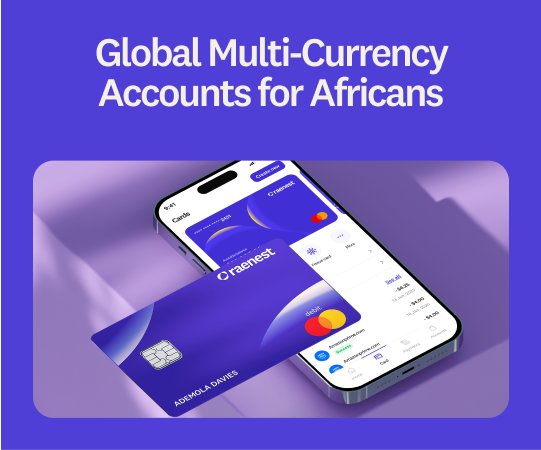
You've finally completed the job, and your client has approved the project. Getting paid should be super simple, right?
Well, not when you have a million options to choose from. You open Upwork's withdrawal page, and suddenly, you're faced with terms like Direct to Local Bank, Direct to U.S. Bank, Payoneer and wire transfer. You don't know exactly what each option means, which one to pick, which is the fastest or which gives you the best value for your money.
If you're a freelancer in Nigeria, this guide will walk you through withdrawing money from Upwork, compare the available payment methods, explain their fees and processing times, and help you choose the best option for your needs. We'll also show you how to receive your Upwork earnings in under an hour with Raenest FastTrack.
Key takeaways
- When a client pays you, Upwork first holds the money in your Upwork balance. Withdrawing means choosing how to move it from there to you: a local bank, a US dollar account, Payoneer or a wire.
- The fastest route is Direct to U.S. Bank into a Raenest USD account with FastTrack switched on. You'll receive your money in under an hour, weekends included, for $2.99 to Upwork plus a flat $2 (under $500) or $4 (from $500) to Raenest.
- Direct to Local Bank looks cheapest at $0.99, but Upwork's payment partner picks your exchange rate and never shows you the markup.
- Upwork charges a fee every time you withdraw, not a percentage of the amount, so a few bigger withdrawals will always cost you less than lots of small ones.
🔗Read more about Upwork fees here.
How to withdraw money from Upwork to Raenest.
If you'd rather watch than read, here's a short video walking through the whole setup:
Otherwise, follow along below.
- Open a Raenest account. Download the Raenest app, choose a Personal account, pick your country and verify your identity with a valid government ID.
- Create your USD account. Go to the Accounts tab and select Create USD Account. Raenest will ask for proof that you earn as a freelancer, and an Upwork earnings statement or a screenshot of your Upwork earnings is enough. Once you're approved, copy your account number, routing number, and account type (Checking).
- Switch off Google sign-in on Upwork if you use it. FastTrack connects with your Upwork email and password, so you need to disable Google sign-in first.
- In Upwork, open Account Settings from your profile picture.
- Go to Password & Security.
- Under Login with Google, click Disconnect.
- Set a new password and sign back in with your email and password.
- Add Raenest to Upwork. In Upwork, go to Settings, then Get Paid, and add a withdrawal method. Choose Direct to U.S. Bank, enter your Raenest details, and type the account number in by hand when Upwork asks you to confirm it.
- Make sure the names match. The name on your Raenest account has to match your verified Upwork name exactly, because a mismatch is the most common reason withdrawals bounce.
- Connect Upwork inside Raenest. In the Raenest app, tap your profile picture, go to Connected Apps, tap Upwork and sign in with your Upwork email and password. You're done when it says Connected.
- Wait three days. Upwork holds every new withdrawal method for three calendar days for security, and there's no way around it.
- Withdraw. Go to Get Paid in Upwork, choose your Raenest account and withdraw. If it's up to $1,500 on a weekday or $500 at the weekend, you'll receive it in your Raenest balance in under an hour.
Once you receive it, the money is yours to use however you like. You can keep it in dollars, spend it with your Raenest USD card, send it to more than 160 countries, or convert it to your local currency and move it to your bank, and Raenest shows you the rate and fee before you confirm anything.
🔗New to Upwork? Read our blog on how to get clients!
Upwork withdrawal methods compared
Once your client pays and the money clears, it shows up in your Upwork balance. When you click Get Paid, Upwork lists four withdrawal methods. Below is what each one is, how it moves your money, what it costs and how long it takes.
At a glance
Each method below includes what you'd receive from a $1,000 withdrawal.
- Direct to U.S. Bank (ACH), with Raenest FastTrack. As Upwork is a U.S. company, money moves most easily through the U.S. ACH banking network to any US account in your name. A Raenest USD account provides these details without needing to live in America. While standard ACH transfers take two to five business days, FastTrack delivers your funds in under an hour.
- Upwork charges $2.99 per withdrawal, and Raenest charges $2 (under $500) or $4 ($500+), leaving $993.01 from a $1,000 withdrawal. FastTrack connects your Upwork account to Raenest so withdrawals arrive in under an hour, even on weekends (up to $1,500 on weekdays and $500 on weekends).
- Direct to Local Bank. Upwork converts your dollars into local currency via a payment partner and deposits them into your bank within four business days. While the $0.99 fee looks cheap, hidden exchange rate markups make it significantly more expensive than USD routes. Bank rejections also incur non-refundable fees.
- Payoneer. Payoneer is a separate payments account, so your money moves in two steps. Upwork first moves your dollars into your Payoneer balance, which takes about a day; then you withdraw from Payoneer to your bank, where the costs apply. Payoneer can take up to 3% when it converts your dollars into local currency, and it charges an annual fee if you receive less than $2,000 in twelve months, so keep it only for clients who insist on paying that way.
- US dollar wire. A wire travels through the international SWIFT network, often passing through one or more intermediary banks on its way to yours, and each of them can take a cut. This makes it the slowest and most expensive option. Upwork charges $50 every time, so $1,000 becomes $950 before those intermediary fees, and you can wait up to seven business days to receive it.
Whichever method you pick, the timing starts once your earnings are available to withdraw. Upwork holds fixed-price milestones for five days after your client approves them and hourly earnings for ten days after the billing week ends. You also need to fill out your tax information, and Upwork won't let you use a newly added withdrawal method for three days.
How Raenest FastTrack works
You connect your Upwork account inside the Raenest app once, and from then on every withdrawal you send to your Raenest USD account arrives in under an hour. You keep withdrawing from Upwork exactly the way you always have; the only difference is how long you wait.
With FastTrack, you can withdraw up to $1,500 from Monday to Friday and up to $500 on Saturdays and Sundays, and receive it in under an hour. Anything above that comes through as a regular Upwork payment. FastTrack doesn't cost anything on top of Upwork's $2.99 and Raenest's usual $2 or $4; you just need a verified Raenest account in good standing and a steady Upwork history of completed work. Create one now!
What is the best way to withdraw money from Upwork?
At a glance
Some accounts charge a few dollars less to receive, but only Raenest pays Upwork withdrawals in under an hour. If you withdraw large amounts occasionally and don't need the money quickly, a zero-fee account will save you a few dollars per withdrawal. If you need money the same day, on the weekend, or when the rate is right, Raenest is the better choice.
Converting to your local currency is a separate cost on every app, so compare what each one quotes for the same amount on the same day before you confirm.
How to get paid from Upwork in other countries
Raenest works for freelancers in more than 60 countries, including Nigeria, Ghana, the Philippines, India and Colombia, and the setup is the same everywhere: withdraw by Direct to U.S. Bank to your Raenest USD account, connect FastTrack, and you receive your money in under an hour.
The cost is similar everywhere, because Upwork's $2.99 Direct to U.S. Bank fee applies to everyone with a tax address outside the US. Your local alternatives differ by country, including which currencies Direct to Local Bank supports, its limits, or mobile money like M-Pesa in Kenya, and all of them follow Upwork's standard timing.
If you freelance from Ghana or the Philippines, we have separate guides: how to receive Upwork payments in Ghana and how freelancers in the Philippines can receive Upwork payments in under an hour.
Frequently asked questions
1. What is the best way to withdraw money from Upwork?
For most freelancers outside the US, it varies although many preferDirect to U.S. Bank into a Raenest USD account with FastTrack switched on. Your money arrives in under an hour and stays in dollars until you decide to convert, for $2.99 to Upwork plus $2 (under $500) or $4 (from $500) to Raenest.
2. What is the fastest way to receive Upwork payments?
Raenest FastTrack. When your Upwork account is connected, withdrawals to your Raenest USD account arrive in under an hour, up to $1,500 on weekdays and $500 at weekends, while a normal Direct to U.S. Bank transfer takes two to five business days.
3. How do I get paid from Upwork in Nigeria?
Go to Settings, then Get Paid, and add a withdrawal method. In Nigeria, you can choose Direct to U.S. Bank into a USD account like Raenest, Direct to Local Bank in naira, Payoneer, or a dollar wire, and you'll need your tax information filled in before Upwork releases anything.
4. How much does Upwork charge to withdraw money?
It's $0.99 for Direct to Local Bank, $2.99 for Direct to U.S. Bank if your tax address is outside the US, and $50 for a US dollar wire. All of these come on top of Upwork's 0% to 15% service fee and any local tax on its fees.
5. How long does Upwork take to pay?
First your earnings have to clear Upwork's security period, which is five days for fixed-price milestones and ten days for hourly work. After that, it's under an hour with Raenest FastTrack, up to four business days with Direct to Local Bank, or two to five business days with Direct to U.S. Bank to other accounts.
6. Does Raenest FastTrack cost extra?
No, FastTrack is free. You only pay Upwork's normal $2.99 Direct to U.S. Bank fee and Raenest's usual deposit fee of $2 under $500 or $4 from $500.
7. Is Raenest safe for Upwork payments?
Yes. Raenest is licensed by the Central Bank of Nigeria as an International Money Transfer Operator, registered as a Money Services Business in the US and Canada, and provides its US banking services through Regent Bank, Member FDIC. You may also know it by its old name, Geegpay.